Character Atelier
For people who write novels or draw original characters: turn a character's looks, personality and background into one complete profile card. A few choices are enough, and trying it needs no sign-up; saving it to your own library needs an account.
- Choose a use
- Find a direction
- Shape the character
- Pick the image
- Confirm, then copy or save
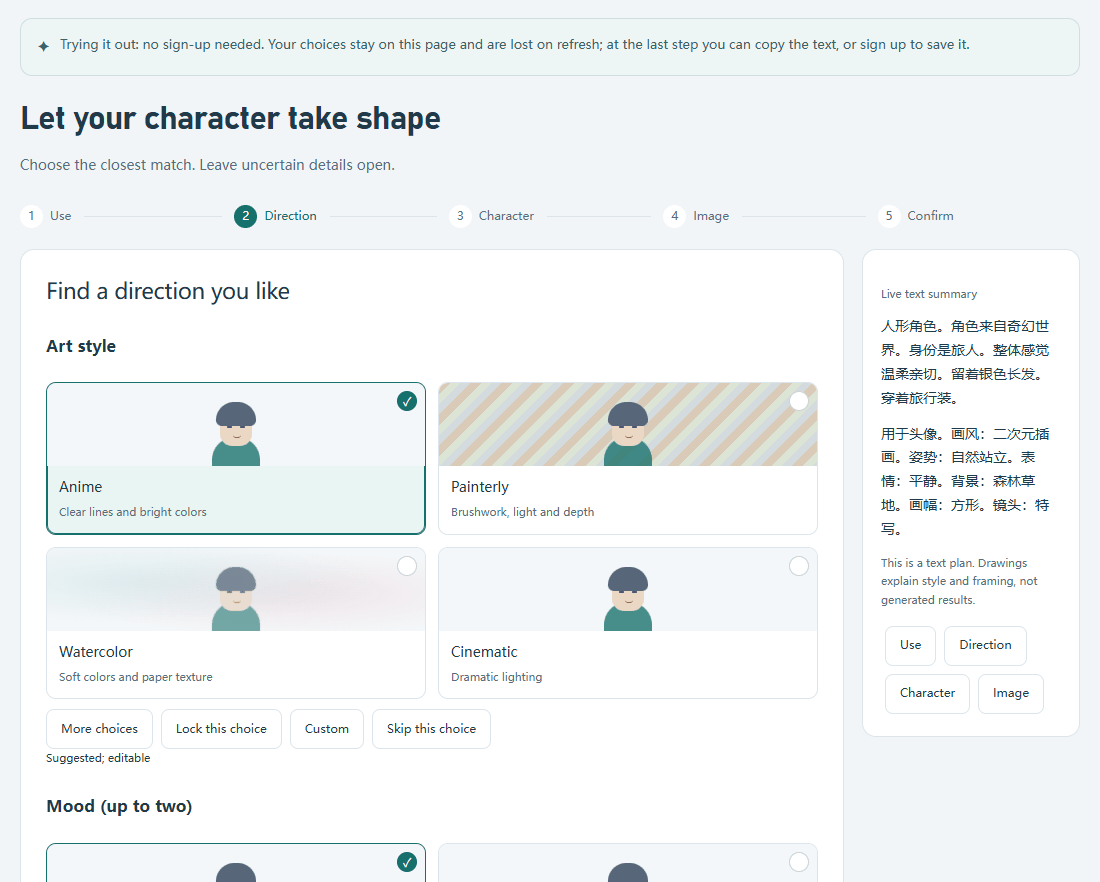 Step two of the online trial: pick an art style and a mood, and the summary on the right changes as you choose. No sign-up, and your choices stay on the page. The summary text itself is currently written in Chinese.
Why I built it
Character profiles, reference images, and pose or expression material can become scattered across files, and a blank document does not say where to start. The five-step guide lets you click through options to get a first profile, and the workspace then keeps it together with reference images and pose or expression templates for ongoing organization and review.
What it does
- Five-step guide: choose a use, find a direction, shape the character, pick the image, and confirm. Every step is a choice, and a live text summary updates on the right; pick the closest match and leave uncertain parts empty.
- A complete profile: the last step gives you a character profile text and a description of the image for this session. You can copy both, or save them to your own character library after signing in. The generated text is currently written in Chinese, whichever interface language you choose.
- Try it without signing up: a signed-out visitor can complete all five steps. Choices are kept in page memory and are lost on refresh. At the last step you can copy the profile text, copy the image prompt, or sign up and save; after you sign up and confirm your recovery code, the draft you confirmed is saved automatically.
- Organize materials: after signing in, the workspace keeps written profiles, reference images, and shared pose and expression templates in one place for reuse.
How it works
Python and SQLite manage the materials. The guide's choices stay in the browser page; the image prompt is built on the server by one set of rules, so signed-in users and anonymous visitors get identical results. The preview endpoint used by anonymous visitors only calculates: it writes nothing to the database, calls no model, reads no account data, accepts only same-origin browser requests, and is rate-limited by source address.
Desktop version: optional local model features
The online version does not generate images and has no text AI. When run locally, it can connect to a large model for prompt refinement and image generation; the online entry does not provide those features. "Copy the image prompt" gives a Chinese description, and how well it works in image tools has not been checked.
How it was checked
These are local results from 2026-10-14; behaviour online is left to a later acceptance record.
- 339 backend tests and 95 frontend script tests pass. The new visitor path has its own tests: an anonymous visitor and a signed-in user get the same prompt with no writes; the preview endpoint accepts only same-origin requests and has a body-size limit and rate limits; after sign-up the same draft is saved exactly once; and once the prompt is up to date, copying again does not repeat the request.
- In Chrome, against a throwaway public-mode server (self-signed HTTPS, temporary data), 8 visitor flows and 24 layout checks at widths of 1280, 768, 390 and 320 passed with no page errors. Before sign-up the only write-type request a visitor makes is the preview call, and no session cookie is set.
- Not checked: online rate limiting and response headers, Safari, Firefox and real phones, how well the copied image prompt works in common image tools, and the local image generation and text AI (not retested this time).
The site's public-entry and frontend-migration records dated 2026-10-03 checked the Character Atelier entry. That is historical entry validation.